The best burner laptop for travel is a cheap Chromebook that still has years of updates left. It wipes back to factory state with a Powerwash, keeps most files in the cloud rather than on the drive and costs little to replace if it is stolen, seized or simply left behind. A low-cost Windows 11 laptop that isn’t in S mode comes second, and a renewed MacBook Air M1 is the pick if you live in Apple’s apps.
A burner laptop for international travel is a stand-in. It carries only the accounts and files the trip needs, so your main computer and its years of email, photos and saved passwords stay home.
Best burner laptop for travel: quick picks
- Best overall: Lenovo IdeaPad Slim 3 Chromebook. A 2.9-pound ChromeOS laptop with a built-in Powerwash reset.
- Best for longer use: Acer Chromebook Plus 514, with 8GB of RAM and updates listed to June 2035.
- Smallest: Lenovo Chromebook Duet, a 1.1-pound tablet (before its keyboard cover) with a camera shutter.
- Cheap Windows laptop: HP 14 Laptop, Windows 11 Home with 8GB of RAM and an SSD.
- Best for BitLocker: ThinkPad T14 (Renewed), which ships with Windows 11 Pro.
- Best burner Mac: MacBook Air M1 (Renewed).
- Tablet instead of a laptop: iPad 11-inch (A16).
Who needs a burner laptop
Most travelers don’t. A burner laptop makes sense in four cases:
- Your laptop holds work data you’re not allowed to expose. Read the company travel policy first; some employers have rules for specific countries.
- You’re going somewhere with a known espionage risk. The Dutch intelligence service AIVD tells people traveling to China to opt for temporary devices, “such as a laptop and phone”, and says many organizations already issue them.
- You’d rather an officer at the border find a near-empty machine. A US border officer can look through a laptop without any suspicion, and Canada and the UK can require your password.
- You’d lose more than hardware if it were stolen. A laptop taken from a café chair is a nuisance. A laptop holding tax returns and a logged-in password manager exposes all of it.
Ask Reddit for the best burner laptop and the top answers on r/sysadmin describe a role, not a model: a cheap laptop kept off the company network with a new email account, re-imaged after each trip, or a Chromebook that only connects to a virtual desktop back home. On r/travel, the top-voted advice is to check your employer’s policy, because some ban company laptops in China even on a connecting flight.
What makes a good burner laptop
Five things decide whether a cheap laptop works as a burner.
1. Fast, complete reset. You’ll wipe it before you leave and again when you get home. A Chromebook Powerwash and a Mac’s Erase All Content and Settings are built into the system and need no installer or download. Microsoft says a Windows reset can sit on a black screen for upwards of 15 minutes. 2. Security updates for years. Google gives Chromebooks 10 years of updates counted from the chip platform’s release, not from the day you buy one, so an older model still in shops can have far less time left. Windows 10 stopped getting free security updates on October 14, 2025. Skip any laptop that can’t run Windows 11. 3. Full-disk encryption you control. Apple silicon Macs encrypt the drive automatically, and Google lists 256-bit encryption for local files on ChromeOS. Windows 11 Home turns on Device Encryption only after you sign in with a Microsoft account, and the recovery key is saved to that account. Windows 11 Pro gives you full BitLocker. 4. No S mode. Windows 11 in S mode installs apps only from the Microsoft Store, so many VPN clients and password manager desktop apps won’t run. Switching out of S mode is permanent and needs an internet connection. 5. Low enough cost to lose. The point of a burner laptop is that a seizure, a theft or a forgotten charger costs you a few hours, not a month’s rent.
| Laptop | System | Weight | Reset | Built-in encryption |
|---|---|---|---|---|
| IdeaPad Slim 3 Chromebook | ChromeOS | 2.9 lb | Powerwash | Yes, per Google |
| Acer Chromebook Plus 514 | ChromeOS, updates to June 2035 | 3.09 lb | Powerwash | Yes, per Google |
| Chromebook Duet | ChromeOS | 1.1 lb (tablet only) | Powerwash | Yes, per Google |
| HP 14 Laptop | Windows 11 Home | 3.2 lb | Reset this PC | Device Encryption with a Microsoft account |
| ThinkPad T14 (Renewed) | Windows 11 Pro | Not stated | Reset this PC | BitLocker |
| MacBook Air M1 (Renewed) | macOS | 2.8 lb | Erase All Content and Settings | Yes, automatic on Apple silicon |
Best Chromebook burner laptops
A Chromebook for travel keeps most files in Google’s cloud, runs nearly everything in the browser, and Powerwash erases every account and local file on the drive. Google’s Auto Update policy page lists the last update date for each model; check it before you buy, or look under Settings > About ChromeOS > Additional details on a laptop in a shop.
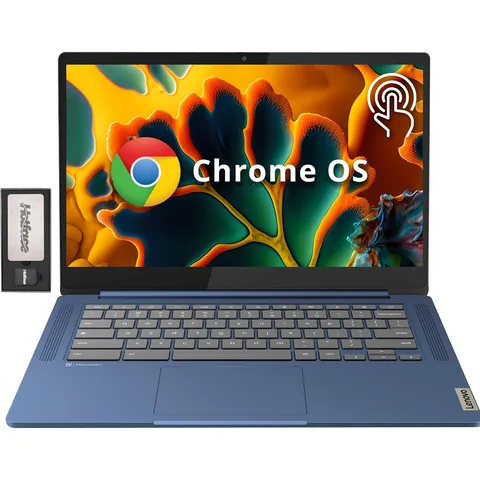
IdeaPad Slim 3 ChromebookBudget
A ChromeOS laptop wipes with a built-in Powerwash and keeps most files in the cloud, so it suits a trip where you plan to wipe it twice.
- Listing: 14-inch FHD touchscreen, MediaTek Kompanio 520, 4GB RAM, 64GB eMMC
- Listing: 2.9 pounds, up to 13.5 hours battery, Wi-Fi 6, USB-C and USB-A
The IdeaPad Slim 3 Chromebook is the overall pick for its 2.9-pound weight, built-in reset and budget tier. It has a full HD touchscreen, Wi-Fi 6, a microSD slot and a battery the listing rates at up to 13.5 hours. Its 4GB of RAM limits it to a browser, email and video calls, the jobs a burner laptop should be doing. This listing comes from a third-party seller and bundles a USB-C docking station you won’t need on the road.
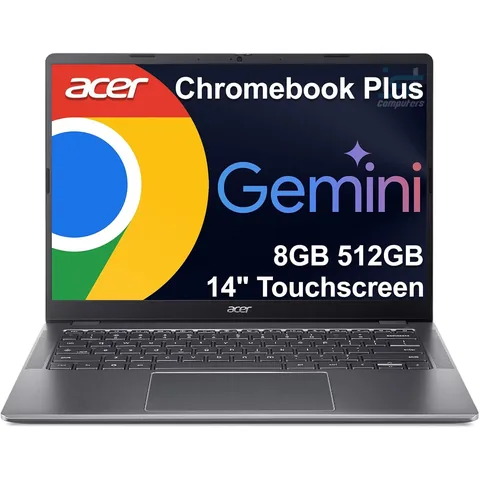
Chromebook Plus 514Mid-range
The Chromebook to buy if the burner will do real work on a trip: 8GB RAM and updates listed to June 2035, so it can serve several trips.
- Listing: Intel Core i3-N355, 8GB LPDDR5X RAM, 512GB SSD, 14-inch touchscreen
- Listing: 3.09 pounds, MIL-STD 810H, Auto Update Expiration June 2035
The Chromebook Plus 514 is the step up if the burner travels with you for years. Its listing states an Auto Update Expiration of June 2035, and it has twice the IdeaPad’s RAM (8GB) plus a 512GB SSD for offline files. The listing puts it at 3.09 pounds and adds a privacy shutter on the webcam.
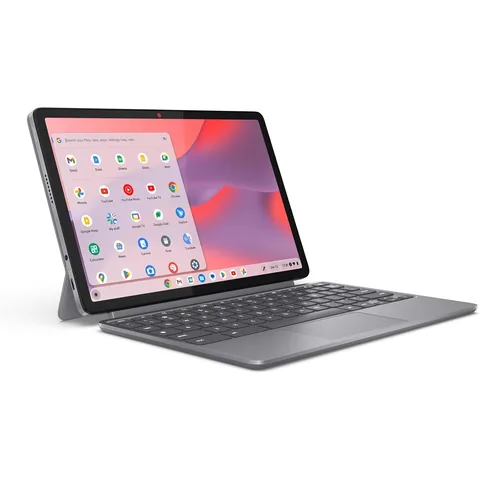
Chromebook DuetBudget
A 1.1-pound ChromeOS tablet with a folio keyboard. The smallest burner here, with a physical shutter over the front camera.
- Listing: 10.95-inch WUXGA touch display, detachable folio keyboard, two USB-C ports
- Listing: 1.1 pounds, up to 12 hours battery, front camera with physical shutter
The Chromebook Duet is a 10.95-inch tablet with a detachable folio keyboard and folio stand. It’s the burner to choose when the laptop is an extra, not your main work tool: it fits in a tote and the front camera has a physical shutter. The 1.1-pound weight on the listing is for the tablet; the keyboard folio adds to it.
One limit applies to all three. A Chromebook leans on a Google account for sync, Drive and its own apps, and the UK Foreign Office lists Google as permanently blocked in mainland China. Set up Gmail and Docs offline before you fly, while signed in and online. Google notes that some offline apps and services don’t work in guest mode.
Best cheap Windows burner laptop
A cheap laptop for travel running Windows makes sense if the trip needs desktop software: a specific VPN client, a work app that has no web version or files in formats Google Docs mangles.
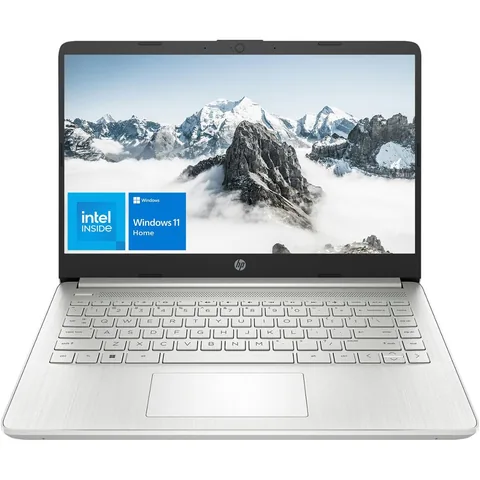
HP 14 LaptopBudget
A cheap Windows 11 Home laptop with 8GB of RAM and an SSD. Confirm it isn't in S mode so the VPN client or desktop apps a trip needs will install.
- Listing: Intel Pentium Silver N5030, 8GB RAM, 256GB NVMe SSD, 14-inch HD display
- Listing: Windows 11 Home, 3.2 pounds, HDMI, SD card reader
The HP 14 is a plain Windows 11 Home laptop with 8GB of RAM and a 256GB SSD. The listing doesn’t mention S mode, so check Settings > System > Activation when it arrives and switch out before you travel if it’s on. The Pentium Silver N5030 is an entry-level chip and the screen is 1366 x 768, which is enough for documents, a browser and video calls.
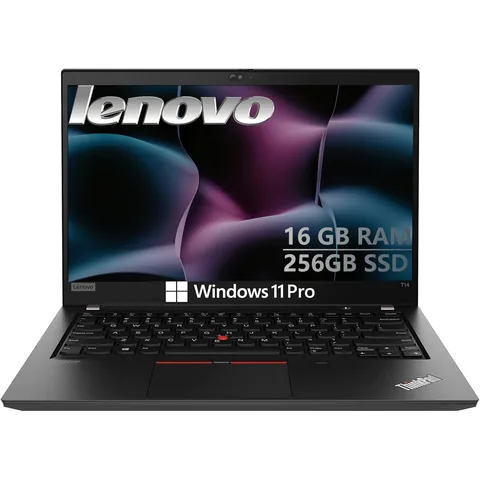
ThinkPad T14 (Renewed)Budget
Windows 11 Pro gives you full BitLocker controls, including a pre-boot PIN, which is the setup AIVD suggests for a trip laptop.
- Listing: Intel Core i5-10310U, 16GB DDR4 RAM, 256GB SSD, 14-inch display
- Listing: Windows 11 Pro, Ethernet, HDMI, microSD reader, Thunderbolt 3 port
A renewed ThinkPad T14 with Windows 11 Pro is the pick for business travelers. Pro unlocks full BitLocker management, including a PIN that must be entered before Windows starts. Microsoft recommends that PIN against an attacker who has time alone with the laptop, and AIVD tells China travelers to set up pre-boot authentication on a trip laptop. The T14 also has 16GB of RAM and an Ethernet port for hotel desks.
Windows has one setup trap. Windows 11 Home and Pro both require an internet connection and a Microsoft account during first setup. Create a separate Microsoft account for the burner before you start, or your personal account and its BitLocker recovery key end up on the trip laptop.
Burner MacBook or iPad
If your work runs on Apple apps, a burner Mac is easier to live with than learning ChromeOS on the road.
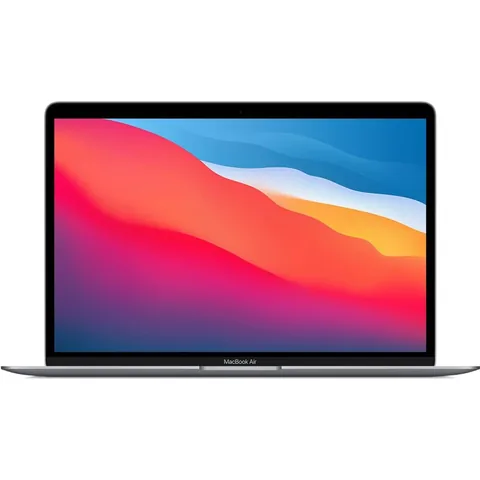
MacBook Air M1 (Renewed)Mid-range
Apple silicon Macs encrypt the drive by default and Erase All Content and Settings wipes one in a single step.
- Listing: Apple M1 chip, 8GB memory, 128GB SSD, 13.3-inch Retina display
- Listing: 2.8 pounds, Touch ID, Wi-Fi 6, renewed
The MacBook Air M1 is the oldest Apple silicon MacBook Air and the one to buy renewed. Apple silicon Macs encrypt the internal drive automatically, and Erase All Content and Settings signs out of iCloud, turns off Find My and erases every account in one step. That last part matters on the trip home: after the erase, Find My is off until you set the Mac up again. Sign in with a separate Apple ID made for the trip, not your own.
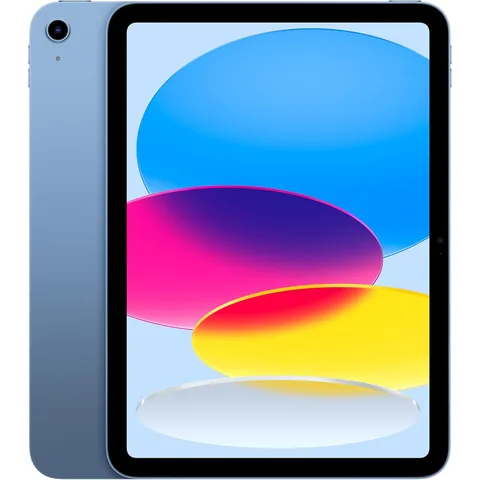
iPad 11-inch (A16)Mid-range
A tablet covers email, documents and video calls on a trip and weighs 1.05 pounds before a keyboard case.
- Listing: A16 chip, 11-inch Liquid Retina display, 128GB, Wi-Fi 6, USB-C
- Listing: Touch ID, 12MP front and back cameras, 1.05 pounds
An iPad with a keyboard case covers email, documents, video calls and the airline app, with no desktop apps to configure. Amazon sells this listing directly. For a trip to China the same Google problem applies to Gmail and Drive, so set up whatever you’ll need offline before you leave.
Travel laptop for China
China is the trip most people have in mind when they search for a burner laptop. The US State Department’s China advisory tells travelers to assume China’s security services can read emails and messages sent to or from the country. China’s 2023 Counter-espionage Law lets state security staff inspect individuals’ electronic equipment once a senior official approves it. Canada’s advisory warns that border officials may review device contents, especially at crossings between mainland China and Hong Kong.
AIVD’s advice for a trip laptop is specific:
- Bring only the information the trip strictly needs.
- Don’t connect the temporary laptop to your email, messaging or social media accounts.
- Use pre-boot authentication and watch for signs the laptop was opened.
- Don’t trust the hotel safe. Hotel staff can open them.
- On return, don’t connect the trip laptop to your organization’s network.
On a Chengdu press trip in October 2017, Gmail and Google Docs wouldn’t load on the hotel Wi-Fi. I wrote my piece in a plain offline text editor and filed it two days later from Hong Kong.
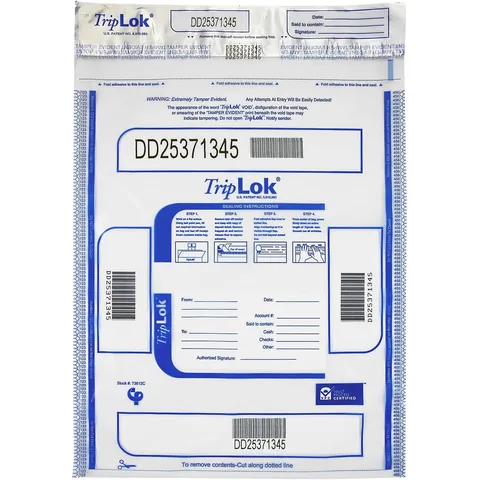
TripLok Tamper-Evident BagsBudget
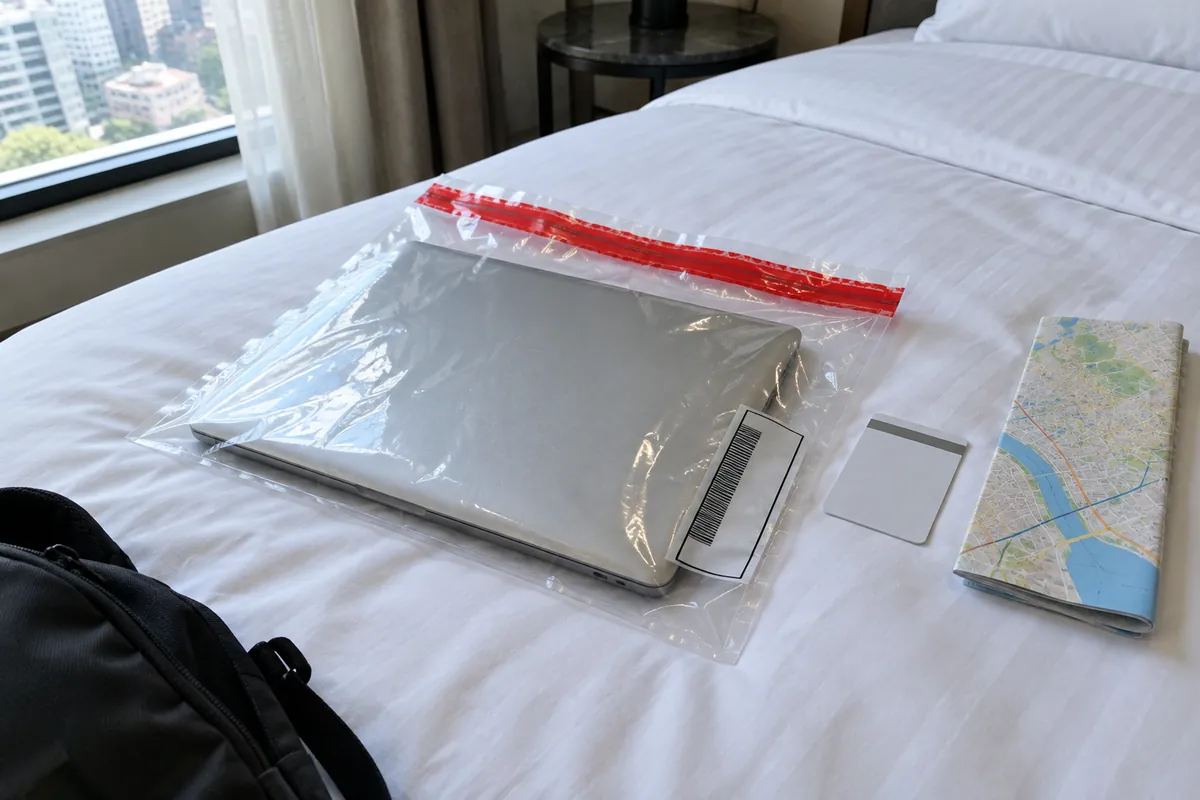
AIVD advises tamper-evident bags for trip laptops. Seal the laptop in one when it stays in the hotel room and note the serial number.
- Listing: 15 x 20 inch clear bags, 50 per pack, numbered
- Listing: triple seal closure, ink that shows heat, cold and moisture tampering
Tamper-evident bags are what AIVD means by watching for signs. Each TripLok bag is numbered and seals three times, and its ink changes if someone tries heat, cold or moisture on the seal. Seal the laptop when it stays in the room, photograph the number and check it when you come back. A 15 x 20 inch bag fits a 14-inch laptop with its charger.
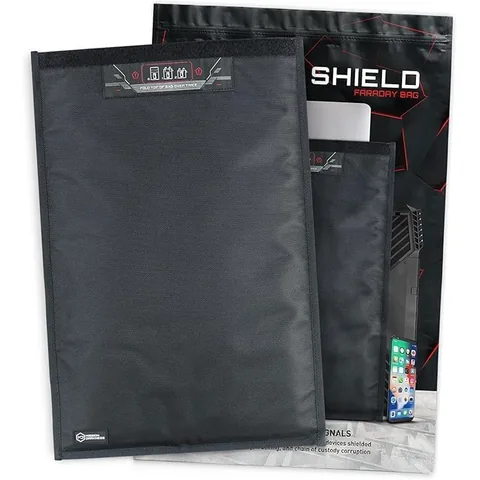
Faraday Laptop BagMid-range
Blocks Wi-Fi, Bluetooth, cellular and GPS, so your main laptop can travel in your bag without touching any network.
- Listing: blocks Wi-Fi, Bluetooth, cellular including 5G, GPS and RFID
- Listing: inner size 17 x 14 inches, ballistic nylon, 10.4 ounces
A Faraday bag is for the main laptop, not the burner. If you have to bring your own computer, keep it powered off inside the bag so it never joins a hotel or airport network. The Mission Darkness bag blocks Wi-Fi, Bluetooth, cellular and GPS, and its 17 x 14 inch inside fits most laptops.
Burner laptop at the border: what officers can check
US Customs and Border Protection updated its device search rules on January 1, 2026. CBP Directive 3340-049B names computers, tablets, drives and flash drives alongside phones. The rules that matter for a laptop:
- A basic search needs no suspicion. An officer opens the laptop and looks through what’s stored on it. An advanced search, where equipment copies or analyzes the contents, needs reasonable suspicion and a supervisor’s approval.
- The cloud is off-limits, the cache is not. Officers must cut the laptop off from networks and may not open data stored only online. Synced folders, browser caches and downloaded mail are on the drive, so they count.
- A locked laptop can be kept. If a password or encryption stops the inspection, CBP may detain the device. Detention after you leave the airport ordinarily should not exceed five days, though it can be extended with higher approval, and the EFF reports laptops held for weeks or months.
CBP’s own figures show 55,318 device searches in fiscal year 2025, out of more than 419 million travelers processed. The first nine months of fiscal 2026 reached 52,081, so the count is climbing. A US citizen who won’t unlock can’t be refused entry, but the laptop can stay behind. A visitor’s refusal can weigh on admission.
Canada and the UK also compel passwords. Canada’s CBSA examines devices when officers have indicators that border laws were broken, and says travelers are obligated to give their password when asked. In the UK, a Schedule 7 stop, a counter-terrorism power used at ports, needs no suspicion, and refusing to hand over a password is a criminal offence.
A burner laptop doesn’t change any of these rules. It changes what an officer sees and what you lose if the laptop is held. The EFF warns that a temporary device “might raise suspicion”. Using the burner with its trip accounts for a few days before you fly makes it look like what it is: a working laptop. Don’t hide data in secret partitions or hidden volumes: the EFF warns these can be read as deception.
How to set up a burner laptop
1. Reset it, then update it. Run Powerwash, Reset this PC or Erase All Content and Settings, then install every system update over your home Wi-Fi. 2. Create trip-only accounts. Make a new Google account, Microsoft account or Apple ID for the laptop. Don’t sign in to your personal email, cloud photos or password manager. 3. Install only what the trip needs. A browser, an offline maps or notes app and the one or two work tools you’ll use. 4. Copy files in, not accounts. Put the documents you need in a single folder. Delete them and empty the trash before the return border. 5. Set a long password and turn off fingerprint unlock. The EFF recommends a passphrase of four or five random words. 6. Turn on remote lock. Enable Find My on a Mac or Find My Device on Windows before the trip, under the trip account. 7. Shut it down before the checkpoint. Microsoft notes that sleep keeps encryption keys in memory, so shut down or hibernate instead. 8. Wipe it again at home before it touches your home or work network.
Windows makes step 2 slower than the others. Before a work trip to Istanbul in May 2026 I reset an old Windows laptop as a burner. Setup wouldn’t finish without a Microsoft account and an internet connection, and the reset itself held a black screen for about 20 minutes.
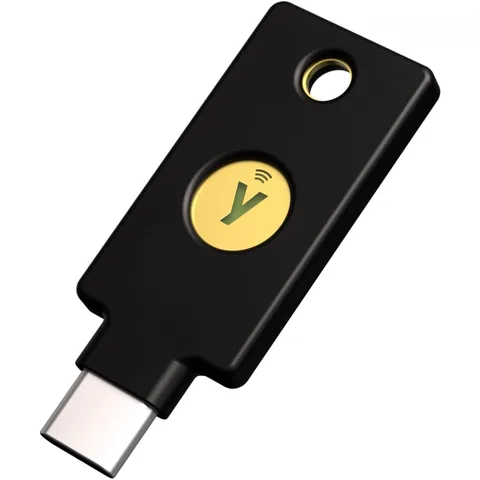
YubiKey 5C NFCMid-range
Text-message codes often fail on a foreign SIM. A hardware key signs you in to the burner's accounts without a phone signal.
- Listing: USB-C and NFC, FIDO2/WebAuthn, U2F, OTP, smart card
- Listing: no battery or internet needed, works with Google, Microsoft and Apple
The Canadian government’s cyber-safe travel page warns that multifactor authentication may not work abroad, because codes sent by text message need your home SIM. A YubiKey signs you in to Google, Microsoft and Apple accounts over USB-C or a tap of NFC, with no signal needed. Keep Google’s printed backup codes with your passport, not in the laptop bag.
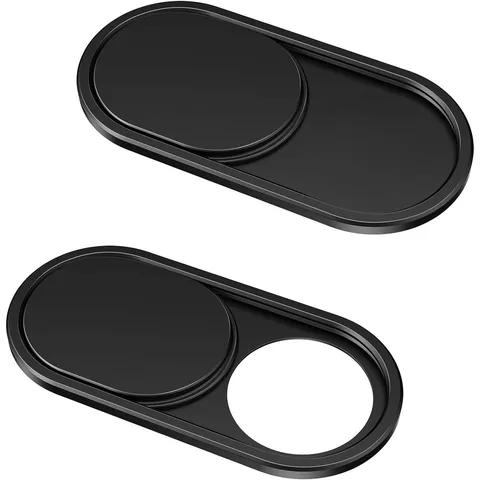 Webcam Cover Slide (2-pack)BudgetCheck price on Amazon
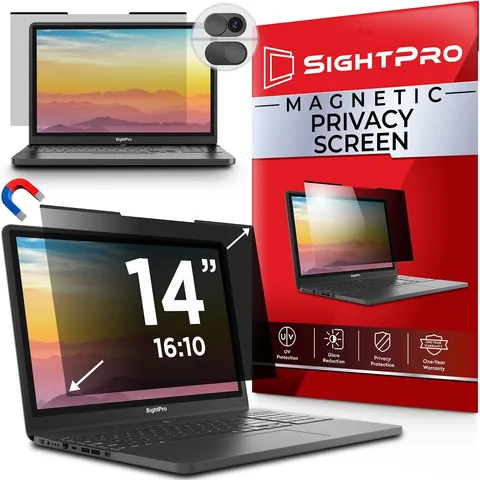 Magnetic Privacy Screen (14-inch)BudgetCheck price on Amazon
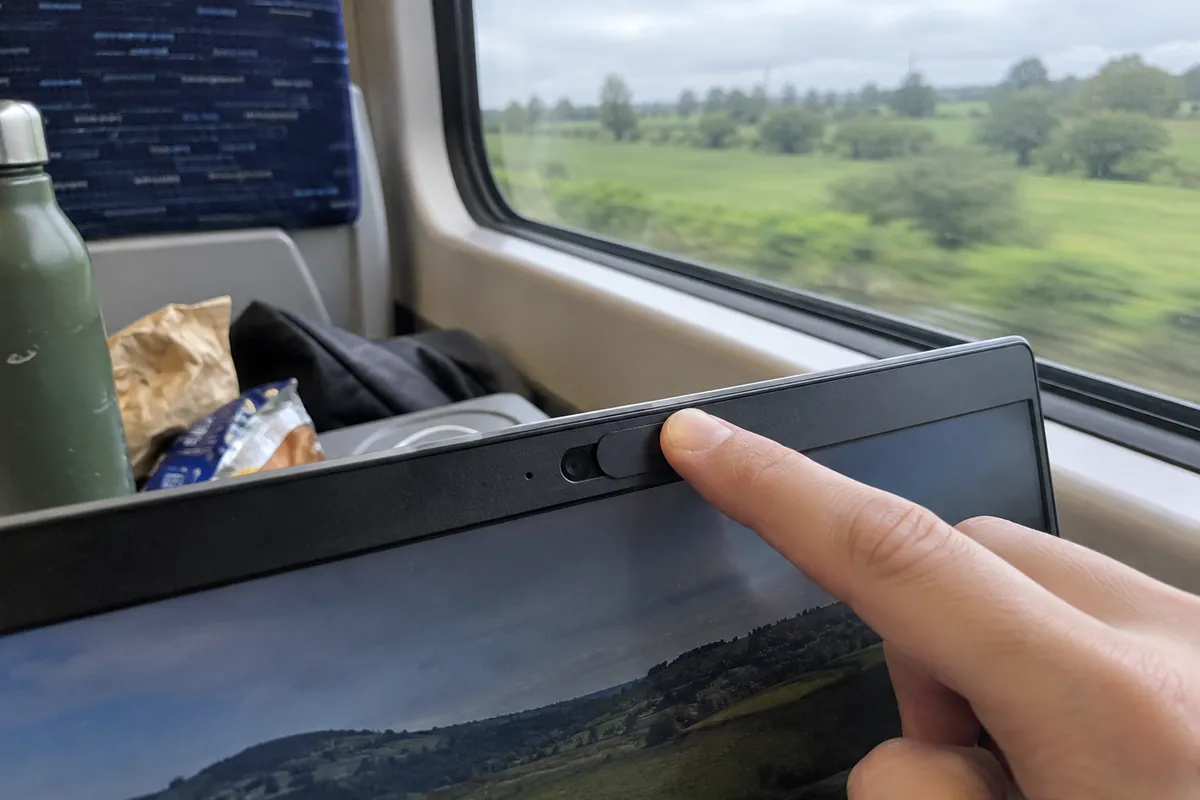
Not every laptop has a physical camera shutter (the Acer and the Duet do), and a thin metal slide adds one. A magnetic privacy filter blacks out the screen to anyone sitting beside you on a train or in a departure lounge. This SightPro filter is the 14-inch 16:10 size (304 x 190 mm) and isn’t made for touchscreens. SightPro sells other sizes, so measure your screen’s width and height before ordering.
Beryl AX Travel RouterMid-range
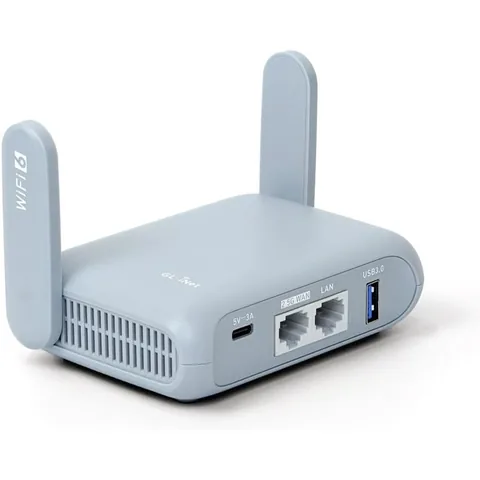
Puts the laptop behind your own router on hotel Wi-Fi, and runs a VPN for every device, so the burner needs no VPN app.
- Listing: Wi-Fi 6 travel router, 2.5G WAN port, USB 3.0, 196 g
- Listing: WireGuard and OpenVPN client built in, OpenWrt firmware
A travel router puts your own network between the laptop and the hotel’s. The Beryl AX plugs into the room’s Ethernet port or joins its Wi-Fi, and every device connected to it shares one VPN tunnel, so the burner itself needs no VPN app. Check a destination’s VPN rules before you travel. Our burner phone for international travel guide covers the phone side of the same setup, and the travel power bank guide covers the battery limits for carry-on bags.
Burner laptop vs travel mode
You can skip the second laptop if your own computer can be made safe enough for the trip. Two tools come up most often:
- 1Password Travel Mode removes every vault from your devices except the ones marked safe for travel. It hides passwords, nothing else. Your email, files and photos are still on the laptop.
- Apple Lockdown Mode blocks most message attachments and many web features, and on Apple silicon laptops it asks for approval before an accessory connects. Apple describes it as protection for “the very few individuals” likely to be targeted by mercenary spyware.
Neither one stops an officer from opening the laptop and looking at what’s stored on it. A wiped main laptop restored from a backup after the trip does the same job as a burner, at the cost of a long restore when you get home. A second machine is simpler when you travel often.
Burner laptop FAQ
Does a burner laptop make you anonymous?
No. A burner laptop limits what's on the device, not who you are. It's linked to you by the passport you travel on, the hotel Wi-Fi you sign in to and the Google, Microsoft or Apple account you set it up with, along with the recovery key stored in that account. Google also says Chromebook guest mode doesn't hide your browsing from the network operator or internet provider.
What should I do if my burner laptop is stolen?
Sign in to the trip account from another device and lock or sign out the laptop: Find My for a Mac, Find My Device at account.microsoft.com for Windows, or Google Account > Security > Manage devices for a Chromebook. These only work if you turned them on before the theft. Microsoft also recommends reporting the theft to police and your insurer with the serial number, so write it down before you leave.
Is it legal to use a VPN in China?
The UK Foreign Office says VPN services in China must be licensed by the Chinese government, and it lists Google, Facebook, YouTube and X as permanently blocked. A 2017 notice from China's industry ministry targets providers and businesses that set up unlicensed cross-border connections. Install and test any VPN at home before the trip, not after you land.
Do I have to take a laptop out of my bag at airport security?
In standard US lanes, yes: the TSA asks you to put the laptop in a separate bin. TSA PreCheck travelers can leave it in the bag, and so can anyone going through a lane with a CT scanner. Laptops are allowed in carry-on and checked bags, but the FAA says a laptop in checked luggage must be fully powered off and protected from switching on.